

Ever feel like your day as a virtual assistant disappears into a blur of emails, messages, and last-minute tasks? One minute you’re checking a client’s calendar, the next you’re deep in five different tabs wondering what you were doing in the first place.
The truth is, staying organized as a VA isn’t about working harder—it’s about having a routine that works for you.

Let’s build a simple, effective routine that keeps you focused, productive, and stress-free.
Why Having a VA Routine Changes Everything
Without a routine, your day can quickly become reactive instead of intentional.
A solid routine helps you:
- Stay on top of multiple clients
- Reduce stress and overwhelm
- Deliver work on time
- Create work-life balance
- Feel more in control of your day
Think of your routine as your daily blueprint—it keeps everything running smoothly.
Step 1: Start with a Clear Morning Reset
How you start your day sets the tone for everything.
Before jumping into tasks, take 15–30 minutes to reset and plan.
Your morning routine might include:
- Reviewing your task list
- Checking urgent emails only
- Prioritizing top 3 tasks
- Organizing your workspace
💡 Avoid diving straight into client work without a plan—it leads to chaos.

Step 2: Use Time Blocking to Structure Your Day
Time blocking is a game-changer for virtual assistants.
Instead of multitasking (which drains energy), you assign specific time slots for tasks.
Example schedule:
- 9:00–10:00 AM: Emails & communication
- 10:00–12:00 PM: Deep work (client projects)
- 12:00–1:00 PM: Break/lunch
- 1:00–3:00 PM: Admin tasks & follow-ups
- 3:00–4:00 PM: Content scheduling or light work
Why it works:
- Keeps you focused
- Reduces distractions
- Helps manage multiple clients easily
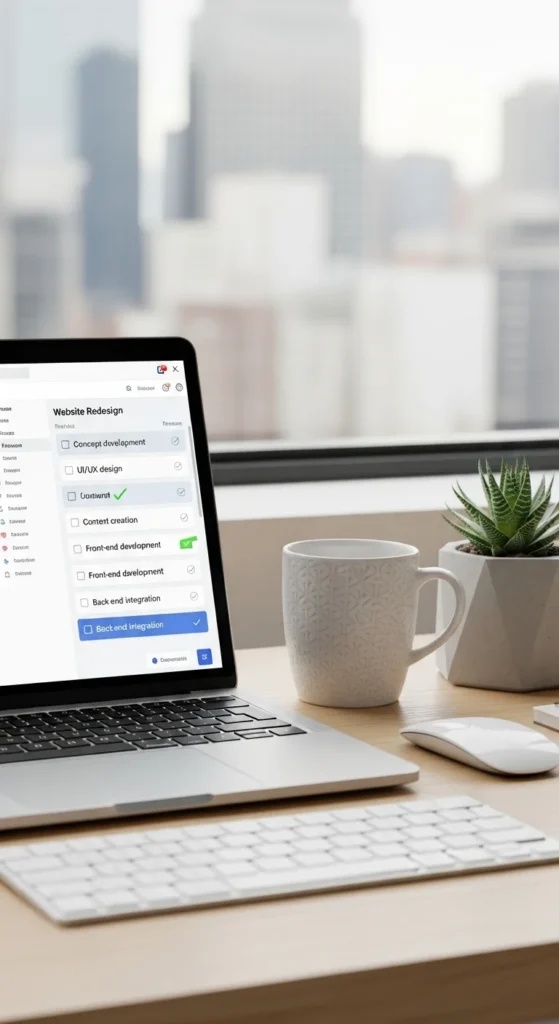
Step 3: Create a Task Management System
Trying to remember everything in your head? That’s a fast track to burnout.
Use a simple system to track tasks:
- Digital tools: Trello, Asana, ClickUp, Notion
- Simple method: To-do list with categories (Today / This Week / Later)
Break tasks into small steps:
- Instead of “Manage client inbox”
→ “Reply to emails,” “Organize folders,” “Flag important messages”
This makes your workload feel lighter and more doable.
Step 4: Batch Similar Tasks Together
Switching between tasks all day kills productivity.
Instead, group similar tasks and do them in one go.
Examples:
- Answer all emails at once
- Schedule all social media posts together
- Handle admin tasks in one block
This helps you:
- Save time
- Stay focused longer
- Reduce mental fatigue
💡 Your brain loves consistency—give it one type of task at a time.
Step 5: Set Boundaries with Clients
This is huge for staying organized.
Without boundaries, your routine gets disrupted constantly.
Set clear expectations:
- Define your working hours
- Communicate response times
- Avoid being “always available”
Example:
“I’m available from 9 AM to 5 PM and respond within 24 hours.”
Boundaries protect your time—and your sanity.

Step 6: Build an End-of-Day Wrap-Up Routine
Don’t just shut your laptop and walk away—this is where many VAs lose control of their schedule.
Take 10–15 minutes to:
- Review what you completed
- Update task lists
- Plan tomorrow’s priorities
- Clear your workspace
This simple habit helps you:
- Start the next day with clarity
- Reduce stress
- Stay consistent
Step 7: Keep Your Routine Flexible (Not Perfect)
Here’s the truth: no routine works perfectly every day.
Clients will have urgent requests. Life will happen.
Instead of aiming for perfection:
- Adjust your schedule when needed
- Focus on consistency over rigidity
- Learn what works best for you over time
Your routine should support you—not stress you out.
Bonus Tips to Stay Organized Long-Term
Want to level up your routine even more?
Try these:
- Use calendar reminders for deadlines
- Keep your workspace clutter-free
- Take regular breaks to avoid burnout
- Review your routine weekly and adjust
Small tweaks can make a big difference.
Common Mistakes to Avoid
Let’s keep you on track:
- ❌ Overloading your schedule
- ❌ Multitasking too much
- ❌ Skipping planning time
- ❌ Ignoring breaks
Remember: productivity isn’t about doing more—it’s about doing things better.
Final Thoughts: Create a Routine That Works for You
An organized virtual assistant isn’t someone who never gets busy—it’s someone who has a system to handle the busy.
Start simple. Build your routine step by step. Adjust as you go.
Soon, you’ll go from feeling overwhelmed to feeling in control of your day.
✨ Save this guide for later and start building your organized VA routine today—you’ll feel the difference immediately!

Leave a Reply