


Freelancing grows stronger every year, and learning new skills helps you earn more while working on projects you enjoy. This list gives you practical, easy-to-learn abilities that fit today’s digital landscape. Each idea includes simple guidance, low-cost ways to practice, and actions you can take right away. You’ll find creative skills, tech skills, service-based skills, and client-facing skills—perfect for anyone planning growth in the new year.
1. Social Media Content Creation

Creating content for brands stays popular. Short videos, carousels, and aesthetic photos carry real earning power. You don’t need fancy tools to begin. Start with your phone camera and natural light. Practice simple shots in your room using props you already have. Learn basic editing using free apps. Keep posts clean and consistent. Offer sample posts to small local businesses so they can see your style. This helps you gain practice while building a small portfolio. Keep experimenting so you find a simple format that feels natural to produce every week. Focus on one platform at a time to avoid overwhelm. You can also create templates to speed up your process. Simple Canva layouts make your work faster and more uniform. Keep your communication friendly and clear when talking to clients. Many small shops want someone who can take simple photos and videos without turning it into a complicated production. With small steps, you can build a steady workflow.
2. Email Newsletter Formatting

Email newsletters remain steady work for freelancers. They help businesses stay in touch with their audiences. You can start by studying simple layouts from your inbox. Notice spacing, image placement, and how short sentences guide the reader. Use a free email platform to test your own layouts. Write practice newsletters about topics you enjoy, then export screenshots for your portfolio. Keep your designs clean with clear sections. Add optional buttons and simple images when needed. Local service providers love newsletters but rarely have time to create them. Offer a sample issue to show what you can do. Make the content easy to read. Use short paragraphs and friendly language. Give readers small tips, product highlights, or weekly updates. Over time, create basic templates you can reuse with future clients. This keeps your workflow smooth and helps you finish projects quickly. You can charge for writing, formatting, or both.
3. Basic Graphic Design for Templates
Template design stays in demand on platforms like Etsy, Pinterest, and client branding packages. You don’t need complicated tools. Canva’s free version lets you create calendars, planners, quote graphics, and social media templates. Start with clean lines, simple shapes, and muted colours. The easier the design, the more people will use it. Create small collections of themed templates to test what works. Offer them to businesses or list them online. Study trends and recreate them in your own style. Keep your files organised so you can update them quickly. Provide multiple sizes so your clients have options. Spend a little time learning alignment and spacing since these details make your designs look polished. Once you’re comfortable, build small bundles and sell them as digital downloads. This gives you passive income opportunities alongside client projects.
4. Short-Form Video Editing

Short videos rule online marketing. Learning simple edits can bring steady projects. Start with free editing apps like CapCut or VN. Practice trimming clips, adding captions, and adjusting sound. Record test footage of household objects to learn about pacing and angles. Brands want clean, quick videos more than complex transitions. Study popular formats on Reels, Shorts, and TikTok to understand pacing. Offer small businesses a few sample edits. Create a simple style: light cuts, soft colour adjustments, and readable captions. As you improve, build a folder of reusable assets like intro clips or overlays. Keep your workflow light so you can complete edits quickly. This skill grows your client base because many entrepreneurs don’t have time to edit video, even when they enjoy recording it.
5. Search-Friendly Blogging

Blogging still helps brands attract readers. Start with simple articles that answer clear questions. Use short paragraphs and warm language. Study what people search by typing phrases into Google’s autocomplete. Create draft outlines using free keyword tools. Practice writing posts for your own blog or a mock brand. Keep your structure tidy: title, intro, subheadings, and a clear takeaway. Add internal links and a few relevant images. Not every business needs long posts. Many only want short tips or list-style articles. Offer a set number of posts per month. This gives you predictable work while helping the client stay active online. Over time, create a personal library of templates to speed up your writing.
6. Pinterest Pin Design

Pinterest continues to bring traffic to websites and shops. Clean, bold pin designs help brands stand out. Start by studying pins with strong colours and simple layouts. Create templates so you can produce pins fast. Use 2-3 fonts and keep text large. Add soft shadows to images for a crisp look. Practise swapping colours so your pins match different brand palettes. Offer monthly pin packs to clients who want fresh content. You can also create idea pins using simple photos from your phone. Build a small portfolio showcasing seasonal designs, lifestyle images, and product mockups. Businesses like predictable posting schedules, so offer bundles that include multiple pins each month. Keep your style consistent to make your workflow easier.
7. Caption Writing for Social Media

Captions matter more than people think. They help followers connect with the person or brand posting. Keep your captions short, clear, and friendly. Add simple hooks like a question or a relatable moment. Practice writing batches of captions about everyday topics—morning routines, home décor, small wins, or product stories. Offer caption packs to small businesses. Many owners enjoy posting photos but don’t know what to write. Create themed weeks so the content feels cohesive. Add optional call-outs like “save this” or “try this” when fitting. Keep your tone warm and conversational. Build a library of caption formats you reuse to save time.
8. Product Photography Using Natural Light

Clear product photos help brands attract buyers. You don’t need studio gear. Natural light from a window works wonders. Use white paper or a simple fabric backdrop. Place the product near the light source and take photos from different angles. Practise shooting everyday objects first. Adjust small elements like height, distance, or background texture. Learn basic editing using free apps to brighten and sharpen your images. Offer a small set of photos to local sellers. Many want clean shots for their websites or shops. Keep props minimal so the product stays the star. Once you understand lighting angles, you can charge for bundles.
9. Simple Landing Page Layouts

Landing pages help businesses sell offers or collect leads. You don’t need coding skills to design them. Use drag-and-drop builders like Carrd or Wix. Start with one clear headline, a short body section, a photo, and a call-to-action button. Keep spacing generous. Practice by creating landing pages for mock products. Export screenshots to build your portfolio. Offer setup packages for small service providers. They want clean pages without overwhelming design elements. Create reusable layout templates so you can finish projects quickly. Simple pages convert better because they feel easy to read.
10. Customer Support Messaging

Many businesses want help responding to customers. Polite, timely messages help buyers feel comfortable. You can offer support through email or chat platforms. Learn a smooth writing style: short sentences, friendly greetings, and quick solutions. Practice by drafting responses to common scenarios like late deliveries or product questions. Offer small packages of message templates to sellers. They can copy and paste them when needed. Over time, you’ll understand patterns and adjust your tone. This type of work fits well into flexible schedules.
11. Basic SEO Formatting
SEO formatting helps articles appear more organized and readable. Start by learning simple elements: title tag, meta description, headers, and clear structure. You don’t need to become a full specialist. Just practice applying clean formatting to blog posts. Offer this service to writers or small brands. Many want help polishing existing articles. Use your own blog to test spacing, keywords, and internal links. Keep paragraphs short so content feels easy to scan. Over time, create a checklist you follow for every project.
12. Content Repurposing
Repurposing turns one piece of content into many. A blog post can become captions, pin ideas, or email snippets. Practice with your own writing. Break a long paragraph into shorter parts. Turn lists into graphics. Pull quotes into templates. Offer repurposing packages to clients who create a lot of content but lack time to reformat it. This reduces their workload while giving you steady projects. Once you understand what works, reuse your proven formats.
13. Voiceover Recording

Short voiceovers work well for videos, ads, and storytelling clips. You don’t need expensive gear; many freelancers start with an affordable USB mic. Record in a quiet corner with soft fabrics to reduce echo. Practise reading scripts slowly and clearly. Use free software to trim audio. Offer short samples to video creators or small shops. Keep your tone calm and natural. Create bundles that include multiple short recordings. As you improve, build a small library of background music you can pair with your audio.
14. Presentation Slide Design

Slide decks help businesses explain ideas simply. Use Canva or Google Slides to practise layouts. Keep slides minimal: one headline, a short sentence, and a simple visual. Study colour palettes and avoid clutter. Create sample slides on topics you enjoy. Offer slide redesigns for coaches, educators, and service providers. Many want slides for webinars or workshops. Provide a theme with matching fonts and icons. Build a small set of templates to speed up your workflow.
15. Resume & Portfolio Formatting

Many professionals want help updating their resumes. Clean layout and simple wording make a big difference. Study resume examples online. Notice spacing, alignment, and how bullet points guide the reader. Practise formatting your own resume first. Offer low-cost packages to friends or local job seekers. Present their details clearly, without long paragraphs. You can also create Canva templates people can reuse. With time, you’ll learn how to highlight strengths through simple layout choices.
16. Canva Mockup Creation

Mockups help sellers showcase digital products. You can create them in Canva by placing designs on frames, devices, or books. Try photographing your own backgrounds so you have unique textures. Practise placing art prints, templates, or product labels. Offer mockup bundles for Etsy sellers. Keep your style clean and neutral so many brands can use them. Over time, create full collections for different seasons and niches.
17. Proofreading for Short Content

Proofreading small pieces—captions, emails, product descriptions—helps clients avoid mistakes. This takes attention and a steady pace. Start by practising with your own writing. Read slowly. Break long sentences. Check for clarity. Offer small proofreading packages to creators who post daily. Many want help polishing their words before publishing. Over time, you’ll notice patterns, making your work smoother.
18. Community Management

Managing online communities requires friendly responses and consistent presence. You answer comments, guide conversations, and keep a warm tone. Practise by joining groups you enjoy and observing how moderators interact. Offer services to small brands running Facebook groups or membership spaces. Provide a plan with daily tasks. Keep messages short and kind. This type of work suits flexible schedules because you can check in a few times a day.
19. Simple Branding Kits

Branding kits give small businesses a cohesive visual style. Start with a palette, two fonts, and a logo variation. Use Canva to design simple boards. Offer low-cost starter kits for new entrepreneurs. They appreciate having consistent colours and templates. Study mood boards for inspiration. Keep designs clean and avoid complex elements. Build bundles that include social media templates and brand guidelines.
20. Digital Product Creation

Digital products—planners, trackers, journals—are popular income streams. Create simple pages first. Use minimal lines and clear spacing. Build themed bundles for holidays, productivity, or wellness. Practise selling small items to learn what people like. Keep your designs light so printing remains easy. Offer custom versions to clients who want branded materials.
21. Basic Copywriting for Ads
Ad copy doesn’t need fancy language. It just needs to be clear and direct. Practise writing short lines that explain a benefit. Study ads you see online. Notice how quickly they get to the point. Offer rewriting services to small business owners who want cleaner messaging. Create a library of short phrases you reuse. Keep your tone friendly and simple.
22. Podcast Show Notes

Show notes help listeners grasp key points from an episode. Start by practising with free podcasts you enjoy. Write short summaries, timestamps, and simple takeaways. Offer monthly show note packages to podcasters who want faster workflows. Keep your language relaxed and clear. Over time, create templates to make formatting quicker.
23. Client Onboarding Document Design
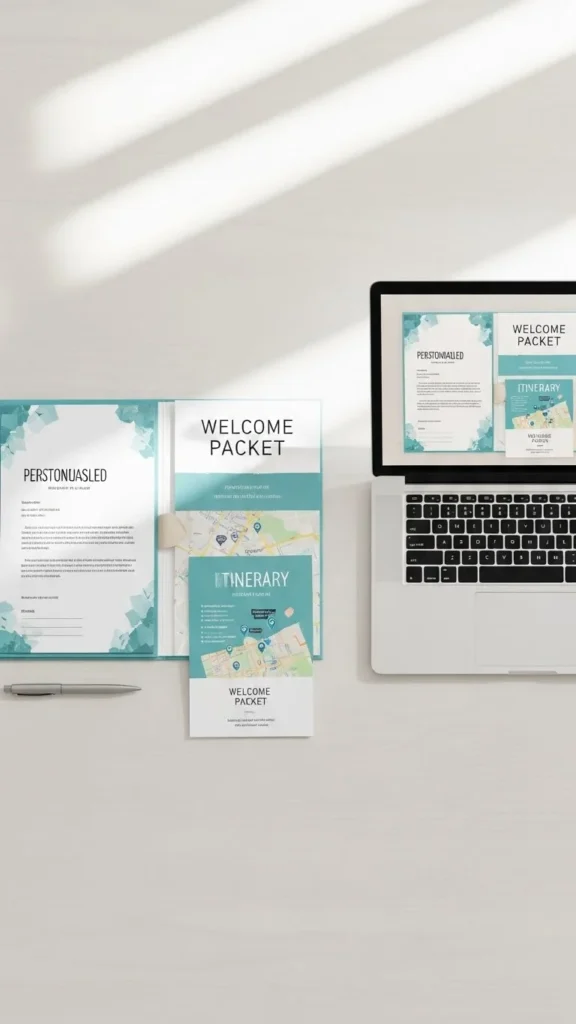
Onboarding documents help freelancers and brands start projects smoothly. Create forms, checklists, and welcome guides using Canva. Keep them simple with clear sections. Practise building your own onboarding kit first. Offer custom kits to service providers. Clients love having organised steps for new customers. Build bundles with questionnaires, timelines, and quick guides. This skill pairs well with other services like branding and design.
Conclusion
Growing your freelance career becomes easier when you focus on skills that fit today’s digital world. You don’t need expensive tools or long training sessions. Small steps, simple practice, and clean presentation help you stand out. Pick a few skills from this list, build small samples, and share them online or with local businesses. With steady effort, your new year can bring more projects, clearer workflows, and better income opportunities.

Leave a Reply